Greetings. In this article we see how to manage the email address of your domain from gmail.com
We will use email@easygreenhosting.it just as an example:
Instead of that address you will have to use your e -mail address and, for the mail server, your domain, as explained later.
We will have to do 2 actions :
- set gmail so that send email from email@easygreenhosting.it
- set up a redirect so that gmail will receive the inbox of email@easygreenhosting.it
1. How to set up gmail so that send email from your inbox
First I go into my gmail account and click on the little wheel at the top right and click on "View all settings"

Then I click on "Accounts and import" and then on "Add another email address" under "send message as"

Then

and finally

Or:
Server SMTP: mail.(your domain name), for example mail.lamiaditta.com
Username: your email address linked to the domain
Password: the password of the same mailbox (in this case the password of email@easygreenhosting.it
And we leave the TLS connection and port 587
If everything has been written correctly, the result will be the following:

Simply confirm the action by clicking on the link received in your inbox.
2. How to set up a redirect so that Gmail will receive emails from your inbox
Until early 2026 it was possible to use Gmailify, but that feature was deactivated by Google. With Gmailigy, Google used to download incoming mail from our inbox every 20 – 30 minutes.
What we can do without Gmailify is to set up a redirect of our incoming mail towards Google, that is, instead of waiting for Google to "pick up" the mail from our inbox, we send the mail to the gmail account.
How?
If you have a cPanel, just click on “forwarders” from the “email” section.
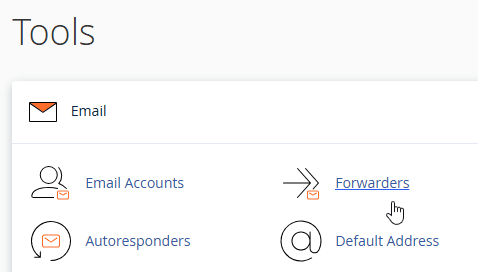
Then just click "add forwarding server" and continue with the (intuitive) on-screen instructions.

If you DON'T have a cPanel, you can do the same thing from your webmail home.
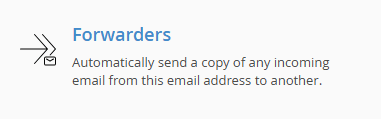
After logging in to webmail.(yourdomain.com), click the “Forwarders” button and you can add a forwarding to the gmail account of your choice.
If necessary, you know that you can always open a ticket from your customer account.
Good luck with your project!